A PowerToys Text Extractor Alternative for Invoice Data
Let's be clear up front: PowerToys Text Extractor is excellent, free, and made by Microsoft — if you occasionally need plain text off the screen, keep using it. But if your day involves pulling IBANs, amounts and dates off invoices, you've probably hit its limits: it gives you exactly the raw characters OCR saw, right or wrong. Here's where it stops, and what an invoice-focused alternative adds.
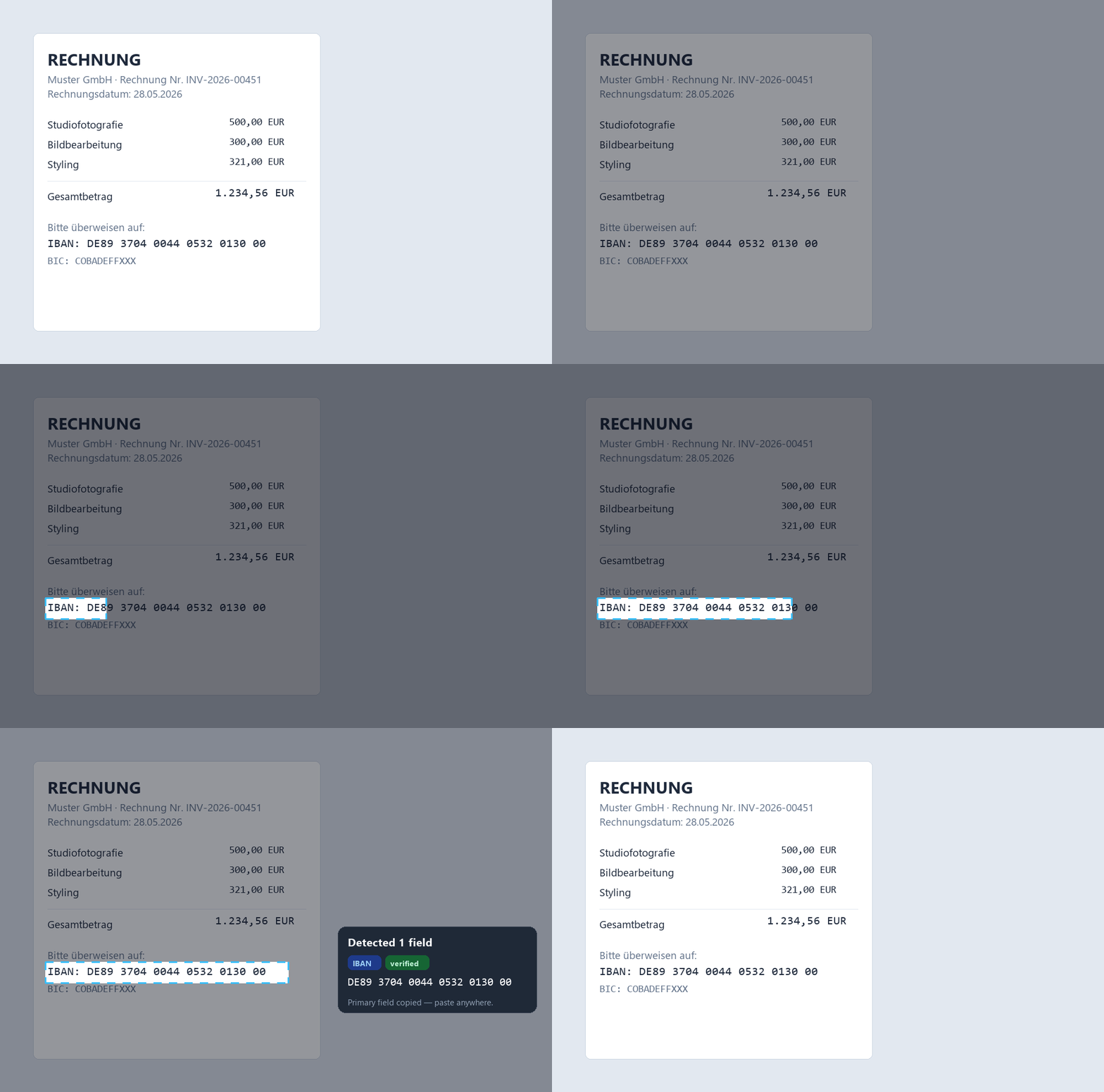
Snip2Field is a PowerToys Text Extractor alternative built for invoice data: the same hotkey-and-drag region OCR, plus field detection (IBAN, amount, date, invoice number), IBAN checksum validation, and value normalisation — fully offline, $14 one-time.
What PowerToys Text Extractor does well
Press Win+Shift+T, drag a box, and the text in it lands on your clipboard. It's fast, offline, free, and perfect for grabbing an error message, a paragraph, a URL. For general-purpose screen OCR it's the obvious first choice — this isn't a hit piece.
Where it falls short for financial data
Text Extractor hands you raw, unverified output. If OCR reads a 0 as an 8 in an IBAN or a total, you get the wrong value with no warning — it looks right, pastes fine, and fails later (a bounced payment, a reconciliation that won't balance). It also doesn't know what it read: an IBAN with spaces, a date in the wrong format, an amount with a currency symbol all need manual clean-up before your accounting software accepts them.
What an invoice-focused alternative adds
Snip2Field works the same way — hotkey, drag a box — but it detects the field type and treats it accordingly: IBANs are validated against the ISO 13616 mod-97 checksum (unverified reads are flagged, never silently copied), amounts and dates are normalised so they paste clean, and invoice numbers come through exactly as printed. Same offline privacy: nothing is uploaded.
So which one should you use?
Honest answer: both have a place. Keep PowerToys for occasional plain text. If invoices are part of your daily work — bookkeeping, accounts payable, freelancing — the checksum validation alone pays for Snip2Field the first time it catches a misread digit before a payment goes out.
- Press the hotkey (Ctrl+Shift+P).
- Drag a box over the IBAN, amount or date.
- It detects the field, verifies it, and copies a clean value.
| PowerToys Text Extractor | Snip2Field | |
|---|---|---|
| Price | Free | $14 one-time (7-day trial) |
| Region OCR (hotkey + drag) | ✓ | ✓ |
| Works offline | ✓ | ✓ |
| Detects field type | ✗ raw text only | ✓ IBAN / amount / date / invoice № |
| IBAN checksum validation | ✗ | ✓ ISO 13616, flags unverified reads |
| Cleans up the value | ✗ as-is | ✓ strips spaces, normalises dates/amounts |
| Best for | Occasional plain text | Invoice & finance data, daily |
More background: Windows region-OCR tools compared · how to copy an IBAN from a PDF · stop retyping invoice data.
Try the invoice-grade version
Same two-second snip — plus field detection and checksum-verified IBANs. Fully offline.
Try Snip2Field free7-day free trial · $14 once · Windows 10/11
FAQ
- Is PowerToys Text Extractor good enough for invoices?
- For occasional use, yes — but it outputs raw, unverified text. It won't warn you when OCR misreads a digit in an IBAN or a total, and you'll clean up spaces and formats by hand.
- What does Snip2Field do that PowerToys doesn't?
- It detects the field type (IBAN, amount, date, invoice number), validates IBANs against the ISO 13616 checksum, flags unverified reads instead of silently copying them, and normalises values so they paste clean.
- Is Snip2Field offline like PowerToys?
- Yes — capture and OCR run entirely on your machine. No account, no cloud, no uploads.
- Can I use both?
- Absolutely — many people keep PowerToys for plain text and use Snip2Field for financial fields. They don't conflict.